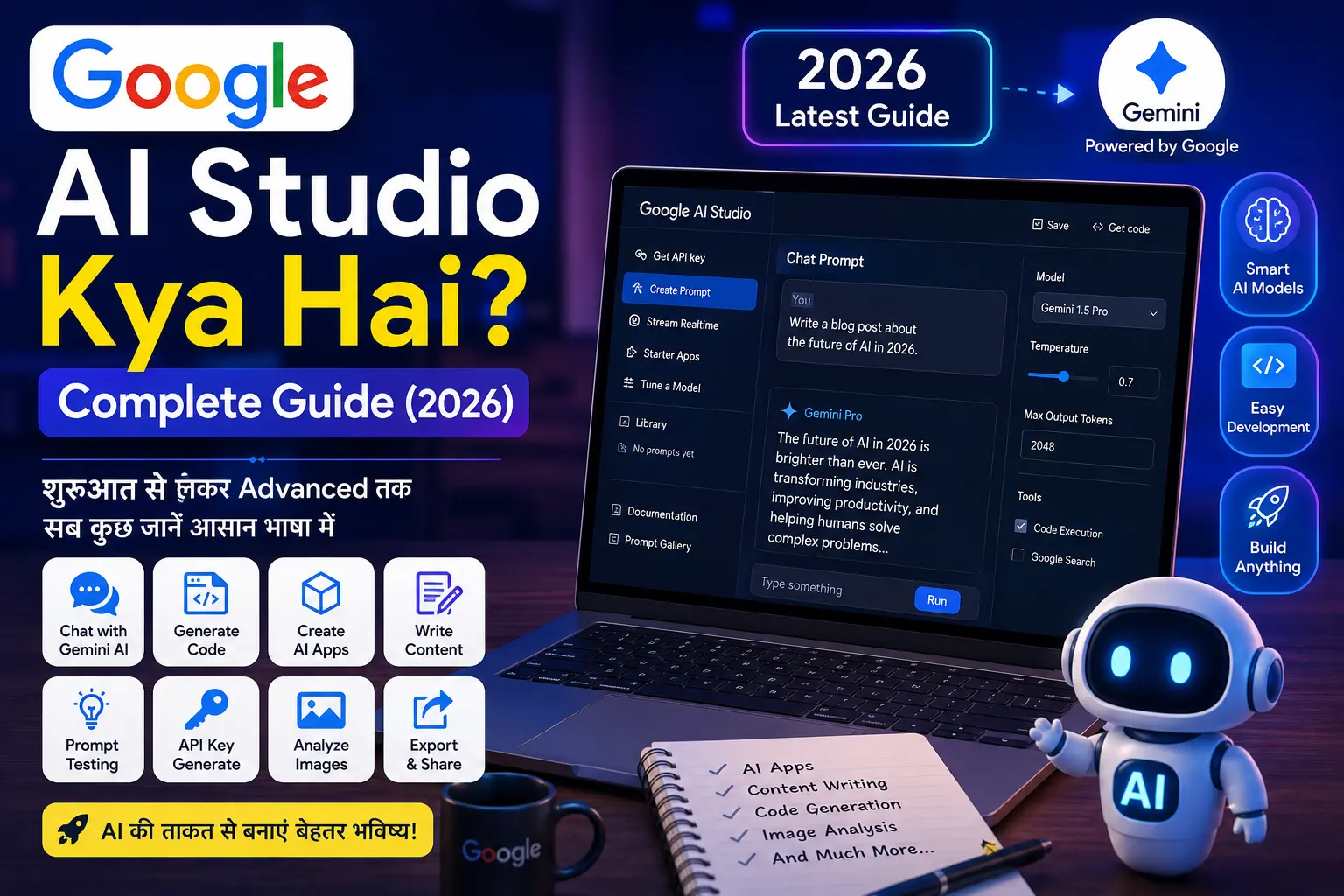
Google AI Studio Kya Hai? Complete Guide (2026) | Beginner to Advanced
Google AI Studio आज के समय में सबसे लोकप्रिय AI प्लेटफ़ॉर्म्स में से एक बन चुका है। यदि आप AI की दुनिया में नए हैं या बिना Coding के AI Apps, Chatbots, Content, Coding Projects और API बनाना चाहते हैं, तो यह गाइड आपके लिए है। इस लेख में हम शुरुआत से लेकर Advanced Level तक हर महत्वपूर्ण जानकारी आसान हिन्दी में समझेंगे।
📑 Table of Contents
Google AI Studio क्या है?
अगर आपने हाल ही में Google AI Studio का नाम सुना है और जानना चाहते हैं कि यह आखिर क्या है, कैसे काम करता है और इसका उपयोग किस लिए किया जाता है, तो आप बिल्कुल सही जगह पर हैं।
Google AI Studio, Google द्वारा बनाया गया एक आधुनिक AI Development Platform है जहाँ आप Gemini AI Models का उपयोग करके Chatbot बना सकते हैं, Coding कर सकते हैं, Content लिख सकते हैं, Prompt Test कर सकते हैं और API के माध्यम से अपनी AI Application भी तैयार कर सकते हैं।
पहले AI Models का उपयोग करने के लिए Developers को काफी Coding करनी पड़ती थी, लेकिन अब Google AI Studio ने पूरा Process बेहद आसान बना दिया है। आज कोई भी Beginner केवल Browser खोलकर AI की शक्ति का उपयोग कर सकता है।
यह Platform खासतौर पर Bloggers, Developers, Students, Freelancers, Digital Marketers, YouTubers, Startup Founders और Business Owners के लिए बनाया गया है।
Google AI Studio क्यों सीखना चाहिए?
2026 में Artificial Intelligence लगभग हर Industry का हिस्सा बन चुकी है। चाहे आपको Blog लिखना हो, YouTube Script बनानी हो, Website Design करनी हो, Coding करनी हो या AI Chatbot तैयार करना हो — Google AI Studio इन सभी कामों को तेज़, आसान और स्मार्ट बना सकता है।
यदि आप AI Skill सीख लेते हैं, तो भविष्य में Freelancing, Blogging, Content Creation, App Development और Automation जैसे क्षेत्रों में नए अवसर प्राप्त कर सकते हैं।
Google AI Studio का सबसे बड़ा फायदा यह है कि आप बिना किसी Software Installation के सीधे Browser में AI Models का उपयोग कर सकते हैं।
Google AI Studio केवल Text Generation तक सीमित नहीं है। इसकी मदद से आप HTML Code, JavaScript, Python Scripts, Marketing Content, Social Media Posts, Product Descriptions, Email Drafts और SEO Friendly Articles भी तैयार कर सकते हैं।
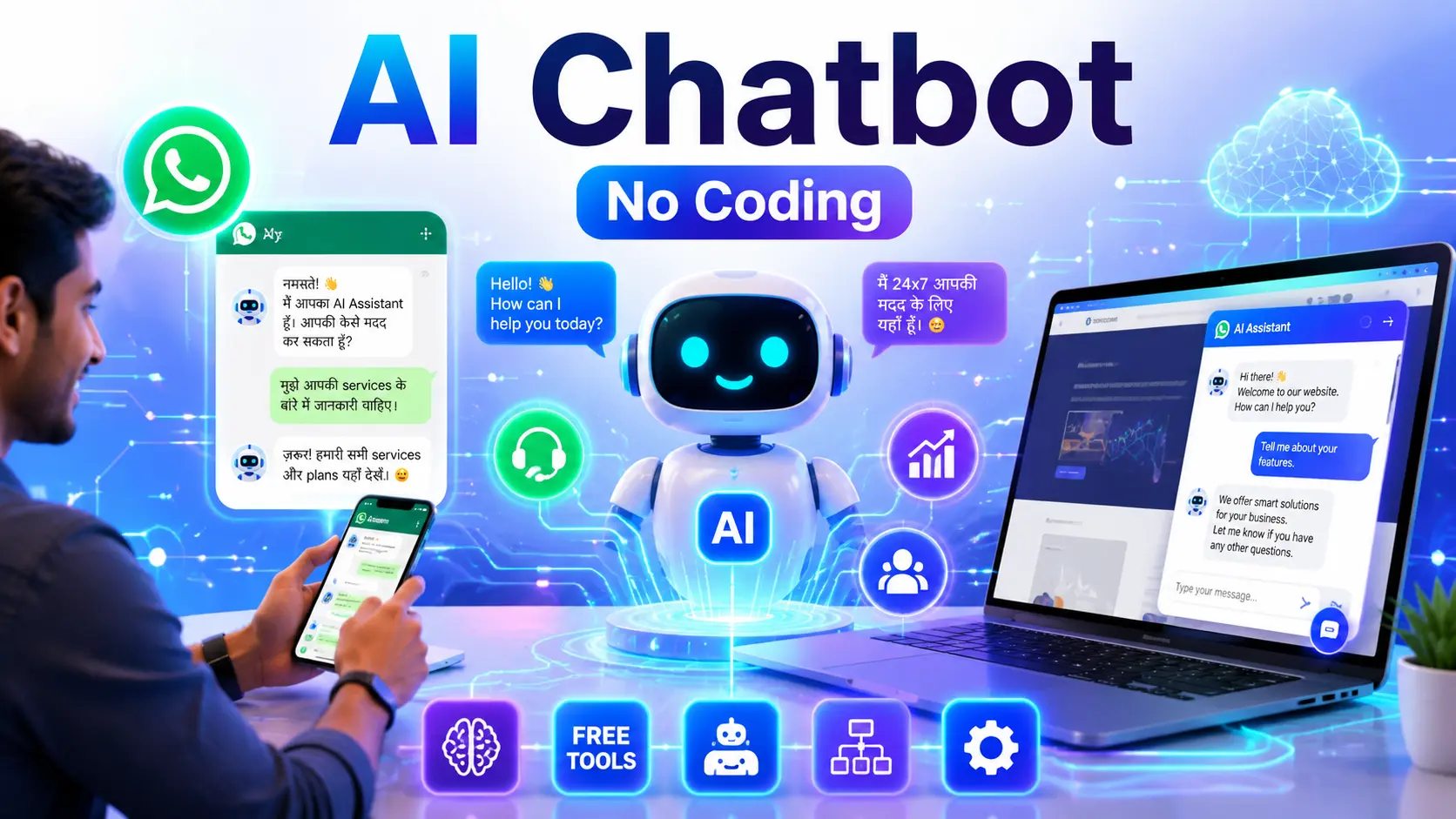
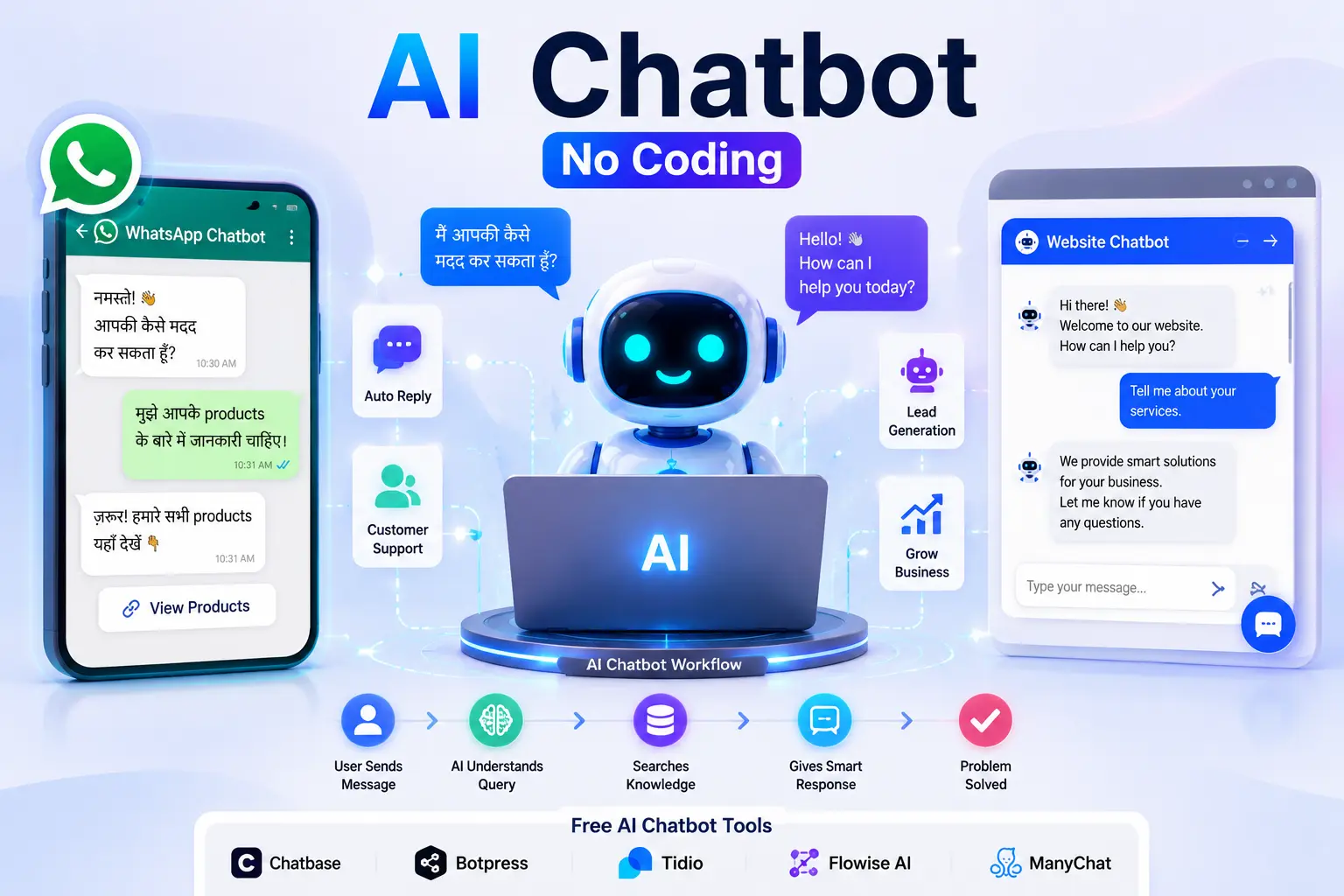
यदि आप AI Chatbot बनाना सीखना चाहते हैं, तो पहले हमारा Complete AI Chatbot Guide भी पढ़ सकते हैं। अगले भाग में इसका लिंक Image Box के साथ दिया गया है।
अगले भाग (Part 1B) में हम विस्तार से सीखेंगे:
- Google AI Studio कैसे काम करता है?
- Google AI Studio की Working
- Gemini AI Models क्या हैं?
- Middle Image
- पहला Internal Link Box (Image + Users Also Read Button)
Google AI Studio कैसे काम करता है?
Google AI Studio एक Browser-Based AI Development Platform है जो Google के शक्तिशाली Gemini AI Models से सीधे जुड़ा हुआ है। आपको किसी Software को Download या Install करने की आवश्यकता नहीं होती। केवल अपना Google Account Login करें और Browser से ही AI की सभी सुविधाओं का उपयोग करना शुरू कर सकते हैं।
जब भी आप Google AI Studio में कोई Prompt लिखते हैं, तो Gemini AI उस Prompt को समझता है, उसका विश्लेषण करता है और कुछ ही सेकंड में सबसे उपयुक्त उत्तर तैयार करके दिखा देता है। यही कारण है कि यह Platform Developers के साथ-साथ Beginners के बीच भी तेजी से लोकप्रिय हो रहा है।
Google AI Studio में आप केवल Chat नहीं कर सकते बल्कि Code Generate, SEO Article Writing, HTML Page Design, API Testing, Prompt Engineering, AI Chatbot Development और कई अन्य कार्य भी आसानी से कर सकते हैं।
Google AI Studio की Working
अपना Prompt लिखें
⬇️
Step 2
Gemini AI Prompt को Analyze करता है
⬇️
Step 3
AI Response तैयार करता है
⬇️
Step 4
जरूरत पड़ने पर उसी Prompt का API Code Generate कर सकते हैं।
यही इसकी सबसे बड़ी खासियत है कि एक ही Platform पर Prompt Testing, Code Generation और API Development जैसे कई काम किए जा सकते हैं।
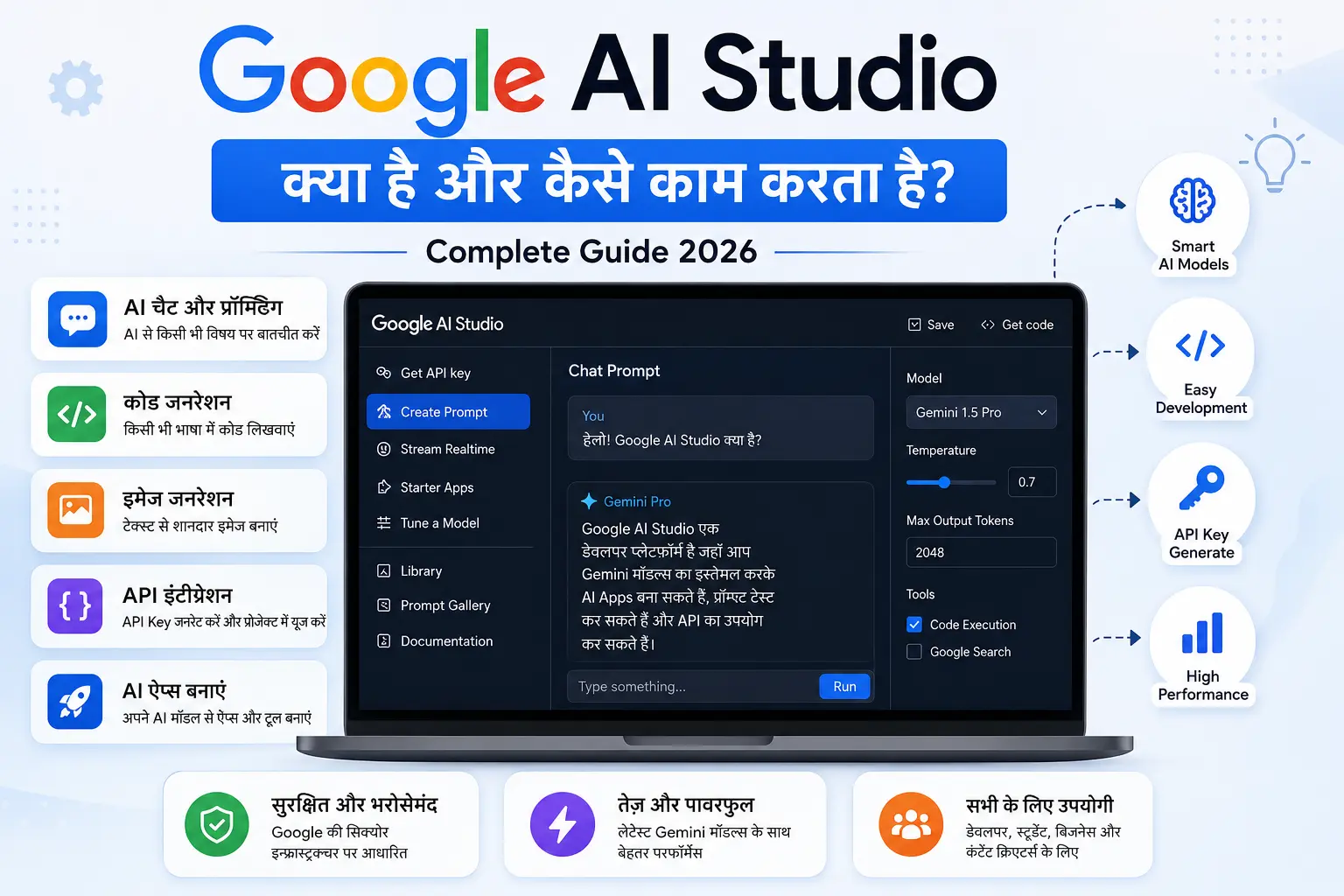
Google AI Studio की मुख्य विशेषताएँ
Google AI Studio में ऐसे कई Advanced Features मौजूद हैं जो इसे दूसरे AI Platforms से अलग बनाते हैं।
1. Gemini AI Models
Google के Latest Gemini Models का उपयोग करके तेज़ और बेहतर AI Responses प्राप्त किए जा सकते हैं।
2. Prompt Testing
एक ही Prompt को कई तरीकों से Test करके Best Output प्राप्त किया जा सकता है।
3. API Integration
कुछ ही क्लिक में API Key Generate करके अपनी Website या App में AI जोड़ सकते हैं।
4. Code Generation
Google AI Studio HTML, CSS, JavaScript, Python, Java, PHP, SQL सहित कई Programming Languages में Code Generate कर सकता है।
5. Multimodal AI
केवल Text ही नहीं बल्कि Image Understanding और अन्य AI Capabilities भी उपलब्ध हैं।
6. Fast Response
Gemini Models कुछ ही सेकंड में Accurate और High Quality Output प्रदान करते हैं।
Google AI Studio किन लोगों के लिए सबसे उपयोगी है?
- ✅ Bloggers
- ✅ Students
- ✅ Developers
- ✅ Freelancers
- ✅ YouTubers
- ✅ SEO Experts
- ✅ Digital Marketers
- ✅ Startup Founders
- ✅ Business Owners
- ✅ AI Beginners
यदि आप AI सीखना चाहते हैं या अपने काम को Automation की मदद से तेज़ बनाना चाहते हैं, तो Google AI Studio आपके लिए एक बेहतरीन Platform साबित हो सकता है।
अगले भाग में हम सीखेंगे कि Google AI Studio पर Account कैसे बनाएं, Dashboard को कैसे समझें, पहला Prompt कैसे लिखें और Gemini Models का सही उपयोग कैसे करें।
Google AI Studio पर Account कैसे बनाएं?
Google AI Studio का उपयोग शुरू करने के लिए आपको केवल एक Google Account की आवश्यकता होती है। अच्छी बात यह है कि इसे इस्तेमाल करने के लिए किसी Software को Install करने की जरूरत नहीं होती। पूरा Platform Browser में ही चलता है।
Step 1 – Google AI Studio Website खोलें
सबसे पहले अपने Browser में Google AI Studio की Official Website खोलें और अपने Google Account से Sign In करें।
👉 Official Website : https://aistudio.google.com/
Step 2 – Google Account Login करें
यदि आप पहले से Gmail का उपयोग करते हैं तो उसी Account से Login करें।
Step 3 – Terms Accept करें
पहली बार Login करने पर Google की Terms और Privacy Policy दिखाई देगी। इन्हें Accept करने के बाद आपका Dashboard खुल जाएगा।
Step 4 – Dashboard Ready
अब आप Prompt लिख सकते हैं, Model चुन सकते हैं, API Generate कर सकते हैं और AI Projects पर काम शुरू कर सकते हैं।
Google AI Studio Dashboard को समझें
Login करने के बाद आपको एक Clean और Beginner Friendly Dashboard दिखाई देता है।
| Section | काम |
|---|---|
| Prompt Box | यहाँ अपना Prompt लिखते हैं। |
| Model Selector | Gemini Model चुन सकते हैं। |
| History | पुराने Chats देख सकते हैं। |
| API Keys | API Generate कर सकते हैं। |
| Export | Code Export कर सकते हैं। |
Google AI Studio में पहला Prompt कैसे लिखें?
Google AI Studio का सबसे महत्वपूर्ण भाग Prompt होता है। जितना बेहतर Prompt होगा, उतना ही बेहतर Result मिलेगा।
Example 1
Write a SEO Friendly Article in Hindi.
Example 2
Create a Modern HTML Landing Page.
Example 3
Write Python Code for Calculator.
Example 4
Generate YouTube Shorts Script.
यदि आप Prompt में Language, Length, Tone और Output Format पहले से बता देते हैं, तो AI अधिक Accurate Result देता है।
- Role
- Task
- Context
- Language
- Output Format
Gemini AI Models क्या हैं?
Google AI Studio, Google के Gemini AI Models का उपयोग करता है। यही Models आपके सभी Prompts को समझते हैं और उनके अनुसार उत्तर तैयार करते हैं।
Gemini Models अलग-अलग प्रकार के Tasks के लिए बनाए गए हैं। कुछ Models Fast Response देने के लिए Optimized होते हैं जबकि कुछ High Quality Reasoning और Coding के लिए।
- ✔ Content Writing
- ✔ Coding
- ✔ Image Understanding
- ✔ Data Analysis
- ✔ Translation
- ✔ Chatbot Development
- ✔ AI Automation

अब तक आपने Google AI Studio का परिचय, इसकी Working, Dashboard और Prompt Writing को समझ लिया है।
अगले Part 2 में हम सीखेंगे:
- API Key कैसे बनाएं
- Google AI Studio से Website कैसे बनाएं
- AI Chatbot कैसे बनाएं
- SEO Article कैसे लिखें
- Coding Projects
- Image Generation
- Google Flow Integration
- तीसरा Internal Link Box
Google AI Studio में API Key कैसे बनाएं?
यदि आप Google AI Studio को अपनी Website, Mobile App, Chatbot या किसी Software के साथ जोड़ना चाहते हैं, तो आपको Gemini API Key की आवश्यकता होगी। API Key एक Secure Token होती है, जिसकी मदद से आपकी Application Google AI Models से सुरक्षित तरीके से जुड़ती है।
सबसे अच्छी बात यह है कि Google AI Studio में API Key बनाना बेहद आसान है और इसमें केवल कुछ मिनट लगते हैं।
Step 1 – API Section खोलें
Dashboard में Login करने के बाद बाईं ओर मौजूद API Keys विकल्प पर क्लिक करें।
Step 2 – Create API Key
अब Create API Key पर क्लिक करें। कुछ सेकंड में आपकी नई API Key तैयार हो जाएगी।
Step 3 – API Key Copy करें
Generate हुई Key को Copy करके सुरक्षित स्थान पर रखें। इसे किसी Public Website या GitHub Repository में Share न करें।
Step 4 – Project में उपयोग करें
अब इस API Key का उपयोग Python, JavaScript, PHP, Node.js या किसी अन्य Programming Language में किया जा सकता है।
अपनी API Key कभी भी Public Repository, Blog या Social Media पर Share न करें। यदि आपकी Key Leak हो जाए, तो तुरंत उसे Revoke करके नई API Key Generate करें।
Google AI Studio से क्या-क्या बनाया जा सकता है?
Google AI Studio केवल एक Chat Tool नहीं है, बल्कि यह एक Complete AI Development Platform है। इसकी सहायता से आप कई प्रकार के AI Projects तैयार कर सकते हैं।
- 🤖 AI Chatbot
- 🌐 AI Website
- 📝 SEO Blog Writer
- 📧 Email Generator
- 📱 Social Media Content Creator
- 💻 HTML Landing Page
- 🐍 Python Projects
- 📊 Data Analysis Assistant
- 🎥 YouTube Script Generator
- 🛒 Product Description Writer
- 📄 Resume Builder
- 🎓 Online Learning Assistant
Google AI Studio से SEO Friendly Article कैसे लिखें?
यदि आप Blogger, Affiliate Marketer या Content Writer हैं, तो Google AI Studio आपके लिए काफी उपयोगी साबित हो सकता है।
सही Prompt की मदद से आप High Quality SEO Friendly Articles तैयार कर सकते हैं। हालांकि Publish करने से पहले हमेशा Article को Edit करें और अपना अनुभव (Experience) जोड़ें ताकि Content अधिक भरोसेमंद और उपयोगी बने।
SEO Prompt Example
You are an SEO Expert.

Write a 2500-word article.

Language: Hindi

Use H2 & H3 Headings

Include FAQs

HTML Format

Human Writing Style
इस तरह के Structured Prompt से बेहतर परिणाम मिलने की संभावना रहती है।

Google AI Studio से Coding कैसे करें?
Google AI Studio Developers के लिए भी एक बेहतरीन Tool है। यदि आपको किसी Programming Language में सहायता चाहिए, तो केवल अपना Prompt लिखें और AI कुछ ही सेकंड में Code तैयार कर देगा।
यह HTML, CSS, JavaScript, Python, PHP, Java, SQL और कई अन्य Languages में सहायता कर सकता है।
Example Prompt
Create a Responsive HTML Landing Page
with Modern UI.
इसी तरह आप Calculator, Login Page, Portfolio Website, Dashboard, API Integration और Web Applications का Code भी Generate कर सकते हैं।
Google AI Studio से AI Chatbot कैसे बनाएं?
Google AI Studio की सबसे लोकप्रिय विशेषताओं में से एक AI Chatbot Development है। यदि आप अपनी Website, Mobile App या Customer Support System के लिए AI Assistant बनाना चाहते हैं, तो Gemini API की मदद से कुछ ही समय में एक शक्तिशाली Chatbot तैयार किया जा सकता है।
पहले Chatbot बनाने के लिए Machine Learning और Deep Coding की आवश्यकता होती थी, लेकिन अब Google AI Studio के कारण यह प्रक्रिया काफी आसान हो गई है।
AI Chatbot बनाने के लिए आवश्यक चीजें
- Google Account
- Google AI Studio Access
- Gemini API Key
- Basic HTML / JavaScript Knowledge (Optional)
- Website या Mobile App
यदि आप Beginner हैं, तब भी Google AI Studio की सहायता से बिना ज्यादा Coding के Chatbot बनाना सीख सकते हैं।
Google AI Studio से Website Design कैसे करें?
Google AI Studio केवल Content Writing तक सीमित नहीं है। आप इससे Professional Website Design भी तैयार कर सकते हैं।
यदि आप Landing Page, Portfolio Website, Business Website या Blog Homepage बनाना चाहते हैं, तो केवल Prompt देकर HTML, CSS और JavaScript Code Generate कर सकते हैं।
Example Prompt
Create a Modern Responsive Landing Page

HTML

CSS

JavaScript

Dark Theme

SEO Friendly
Generated Code को Edit करके सीधे अपनी Website में उपयोग किया जा सकता है।
Google AI Studio से Email, Resume और Documents कैसे बनाएं?
Google AI Studio की सहायता से Professional Emails, Cover Letters, Resume, Business Proposals, Reports और Office Documents भी तैयार किए जा सकते हैं।
यदि आप Office Employee, Student या Freelancer हैं, तो यह आपके रोजमर्रा के काम को काफी तेज़ बना सकता है।
- ✔ Business Email
- ✔ Leave Application
- ✔ Resume
- ✔ CV
- ✔ Project Report
- ✔ Proposal
- ✔ Cover Letter
- ✔ Meeting Notes
Google AI Studio से Social Media Content कैसे बनाएं?
आज के समय में Instagram, Facebook, LinkedIn, X (Twitter) और YouTube के लिए लगातार Content बनाना आसान नहीं होता। Google AI Studio इस काम को भी सरल बना सकता है।
आप इससे Caption, Hashtags, Video Script, YouTube Description, Facebook Posts, LinkedIn Articles और Marketing Copy तैयार कर सकते हैं।
Example Prompt
Write a Viral Facebook Post

Hindi Language

Emotional Tone

Include Emojis

Call To Action
Google AI Studio के Best Use Cases
| Industry | AI Studio का उपयोग |
|---|---|
| Blogging | SEO Articles, FAQs, Meta Tags |
| YouTube | Scripts, Titles, Descriptions |
| Business | Customer Support, Emails |
| Education | Notes, Summaries, Learning |
| Programming | Code Generation, Debugging |
| Marketing | Ads Copy, Product Description |
💡 Expert Tip
Google AI Studio से मिलने वाले किसी भी Content को सीधे Publish करने के बजाय उसमें अपना अनुभव, वास्तविक उदाहरण (Examples), Screenshots और अतिरिक्त जानकारी जोड़ें। इससे आपका Article अधिक उपयोगी बनेगा और Google के EEAT Guidelines के अनुरूप बेहतर प्रदर्शन कर सकता है।
Google AI Studio का उपयोग किन-किन क्षेत्रों में हो रहा है?
- Artificial Intelligence Development
- Software Development
- Blog Writing
- Digital Marketing
- SEO Optimization
- Education
- E-commerce
- Customer Support
- Automation
- Data Analysis
आने वाले वर्षों में AI Tools का उपयोग लगभग हर Industry में बढ़ने की संभावना है, इसलिए Google AI Studio सीखना एक उपयोगी Skill हो सकती है।
Google AI Studio के फायदे (Advantages)
Google AI Studio को इस तरह डिज़ाइन किया गया है कि शुरुआती (Beginners) से लेकर Professional Developers तक सभी इसका उपयोग आसानी से कर सकें। इसकी सबसे बड़ी ताकत इसका सरल Interface, तेज़ AI Models और Google Ecosystem के साथ Integration है।
- ✅ बिल्कुल Free Tier उपलब्ध
- ✅ Browser से सीधे उपयोग करें
- ✅ किसी Software की आवश्यकता नहीं
- ✅ Latest Gemini AI Models
- ✅ Fast Response Time
- ✅ API Support
- ✅ HTML, CSS, JavaScript, Python Coding
- ✅ SEO Content Writing
- ✅ Image Understanding
- ✅ Multimodal AI Support
- ✅ Google द्वारा Official Platform
- ✅ Prompt Testing की सुविधा
Google AI Studio की सीमाएँ (Disadvantages)
हालांकि Google AI Studio एक बेहतरीन Platform है, लेकिन कुछ सीमाएँ भी हैं जिनके बारे में जानना जरूरी है।
- ❌ Free Tier में Usage Limits हो सकती हैं।
- ❌ अच्छे Result के लिए Prompt Engineering सीखनी पड़ती है।
- ❌ सभी AI Features हर Region में उपलब्ध नहीं होते।
- ❌ गलत Prompt पर गलत Output मिलने की संभावना रहती है।
- ❌ AI द्वारा Generated जानकारी को Publish करने से पहले Verify करना चाहिए।
Google AI Studio vs ChatGPT
| Feature | Google AI Studio | ChatGPT |
|---|---|---|
| AI Models | Gemini | GPT |
| Coding Support | ✅ | ✅ |
| API Testing | ✅ | ✅ |
| Content Writing | ✅ | ✅ |
| Multimodal AI | ✅ | ✅ |
| Official Google Integration | ✅ | ❌ |
दोनों Platforms अपने-अपने क्षेत्र में बेहतरीन हैं। यदि आपका काम Google Ecosystem, Gemini API और AI Application Development से जुड़ा है, तो Google AI Studio एक अच्छा विकल्प हो सकता है। वहीं यदि आपका मुख्य फोकस लेखन, शोध, प्रोग्रामिंग और सामान्य AI सहायता है, तो ChatGPT भी एक शक्तिशाली विकल्प है।
Google AI Studio इस्तेमाल करते समय ध्यान रखने योग्य बातें
- Prompt हमेशा स्पष्ट और विस्तृत लिखें।
- Generated Content को Publish करने से पहले Review करें।
- अपनी API Key किसी के साथ Share न करें।
- महत्वपूर्ण जानकारी हमेशा Official Sources से Verify करें।
- AI Content में अपना अनुभव और Examples जोड़ें।
क्या Google AI Studio सीखना चाहिए?
यदि आप AI की दुनिया में अपना करियर बनाना चाहते हैं, Content Creation करते हैं, Blogging करते हैं, Coding सीख रहे हैं या Business Automation पर काम कर रहे हैं, तो Google AI Studio सीखना आपके लिए एक महत्वपूर्ण Skill साबित हो सकता है।
Google लगातार Gemini Models को बेहतर बना रहा है, इसलिए आने वाले समय में AI Studio की क्षमताएँ और भी बढ़ने की संभावना है। अभी से इसे सीखना भविष्य के लिए एक अच्छा निवेश हो सकता है।
Google AI Studio FAQs (अक्सर पूछे जाने वाले प्रश्न)
1. Google AI Studio क्या है?
Google AI Studio, Google का Official AI Development Platform है जहाँ आप Gemini AI Models का उपयोग करके AI Chat, Coding, Content Writing, API Development और AI Applications बना सकते हैं।
2. क्या Google AI Studio बिल्कुल Free है?
हाँ, Google AI Studio का Free Tier उपलब्ध है। हालांकि, अलग-अलग AI Models और API Usage के अनुसार कुछ Limits लागू हो सकती हैं। यदि आपका उपयोग अधिक है, तो Paid Plans भी उपलब्ध हो सकते हैं।
3. क्या Google AI Studio सीखने के लिए Coding आना जरूरी है?
नहीं। Beginners भी केवल Prompt लिखकर AI का उपयोग कर सकते हैं। हालांकि API Integration और Custom Applications बनाने के लिए Basic Programming Knowledge उपयोगी हो सकती है।
4. क्या Google AI Studio से Website बनाई जा सकती है?
हाँ। Google AI Studio HTML, CSS, JavaScript और अन्य Programming Languages में Code Generate करने में सहायता कर सकता है, जिससे Landing Pages और Websites तैयार की जा सकती हैं।
5. Google AI Studio और Gemini में क्या अंतर है?
Gemini एक AI Model है, जबकि Google AI Studio वह Platform है जहाँ इन Gemini Models का उपयोग, Testing और API Integration किया जाता है।
6. क्या Google AI Studio से SEO Article लिख सकते हैं?
हाँ। इसकी सहायता से SEO Friendly Articles, Blog Posts, Product Reviews, Landing Pages और Marketing Content तैयार किया जा सकता है। बेहतर परिणाम के लिए Generated Content को Edit करना और अपना अनुभव जोड़ना महत्वपूर्ण है।
7. क्या Google AI Studio सुरक्षित है?
हाँ, यदि आप Official Website का उपयोग करते हैं और अपनी API Keys को सुरक्षित रखते हैं, तो इसका उपयोग सुरक्षित माना जाता है।
Expert Tips for Best Results
- ✅ Prompt जितना Detailed होगा, Result उतना बेहतर होगा।
- ✅ Output Format पहले से बताएं।
- ✅ AI Content को Publish करने से पहले Proofread करें।
- ✅ Facts को Official Sources से Verify करें।
- ✅ Article में अपना Personal Experience जोड़ें।
- ✅ AI का उपयोग केवल सहायता के रूप में करें।
- ✅ Regular Practice करके Prompt Engineering Skill Improve करें।
Official Resources
यदि आप Google AI Studio के बारे में अधिक जानकारी प्राप्त करना चाहते हैं, तो नीचे दिए गए Official Resources उपयोग कर सकते हैं।
निष्कर्ष (Conclusion)
यदि आप Artificial Intelligence सीखना चाहते हैं, AI Apps बनाना चाहते हैं, Coding में Productivity बढ़ाना चाहते हैं या SEO Content Writing को आसान बनाना चाहते हैं, तो Google AI Studio आपके लिए एक शक्तिशाली और उपयोगी Platform है।
इस Guide में आपने Google AI Studio का परिचय, इसकी Working, Features, Dashboard, Prompt Engineering, API Keys, Website Development, Coding, Content Writing, AI Chatbot Development, Advantages, Limitations और ChatGPT के साथ Comparison के बारे में विस्तार से जाना।
AI तेजी से बदल रही Technology है, इसलिए समय-समय पर Google AI Studio के नए Features और Gemini Models को सीखते रहना आपके Career और Productivity दोनों के लिए लाभदायक हो सकता है।
🚀 अब आपकी बारी!
क्या आपने Google AI Studio इस्तेमाल किया है?
नीचे Comment करके अपना अनुभव ज़रूर बताएं और यह Guide अपने दोस्तों के साथ Share करें ताकि वे भी AI सीख सकें।