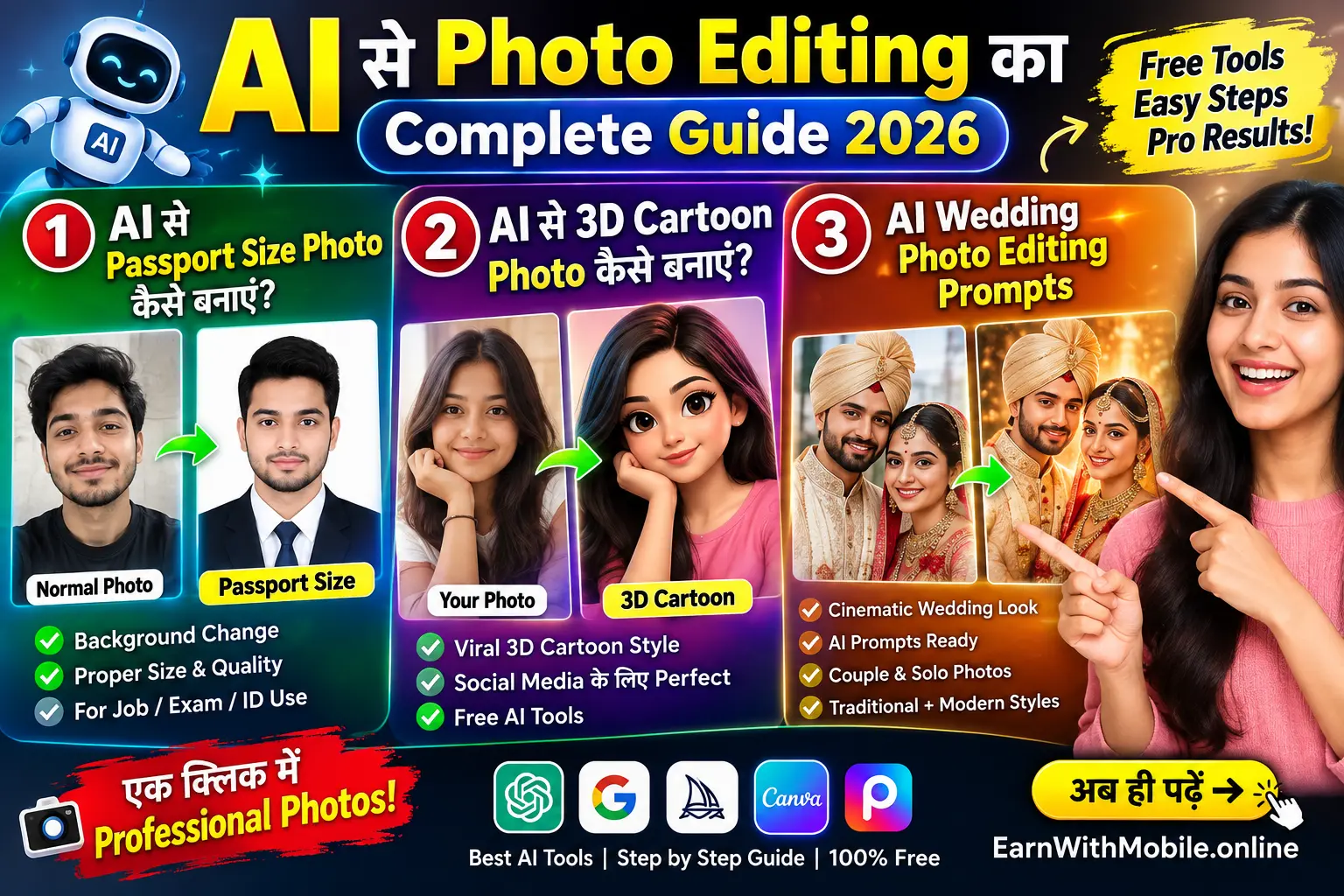
आज के समय में अच्छी फोटो बनाने के लिए हर किसी को महंगे कैमरे या Professional Photo Editing Software की जरूरत नहीं होती। AI Photo Editing Tools की मदद से आप अपनी सामान्य फोटो को अलग-अलग स्टाइल में एडिट कर सकते हैं।
चाहे आपको Job Application के लिए Passport Size Photo बनानी हो, Instagram के लिए 3D Cartoon Photo तैयार करनी हो या Wedding Photos को Cinematic Look देना हो, AI आपकी Creativity को बेहतर तरीके से इस्तेमाल करने में मदद कर सकता है।
इस Guide में हम तीन Practical Topics को Step by Step समझेंगे:
- AI से Passport Size Photo कैसे बनाएं?
- AI से 3D Cartoon Photo कैसे बनाएं?
- AI Wedding Photo Editing Prompts कैसे इस्तेमाल करें?
साथ ही, आपको Useful AI Prompts, Photo Editing Tips और कुछ जरूरी सावधानियां भी मिलेंगी, ताकि आप केवल फोटो बनाने के बजाय बेहतर परिणाम पाने की कोशिश कर सकें।
📌 इस Article में क्या सीखेंगे?
1. AI Photo Editing 2026: Passport Size Photo कैसे बनाएं?
Passport Size Photo की जरूरत हमें कई जगह पड़ती है, जैसे Job Application, School Form, Resume, ID Card और कुछ सरकारी दस्तावेजों में। कई बार हमारे पास अच्छी फोटो होती है, लेकिन उसका Background सही नहीं होता या फोटो का Size आवश्यक Format के अनुसार नहीं होता।
AI Photo Editing Tools की मदद से आप अपनी फोटो को Crop, Resize और Background Adjust करने की कोशिश कर सकते हैं। लेकिन ध्यान रखें कि Passport, Visa या किसी आधिकारिक दस्तावेज के लिए फोटो की आवश्यकताएं संबंधित संस्था के नियमों के अनुसार अलग-अलग हो सकती हैं।
📸 Passport Size Photo बनाने के लिए क्या चाहिए?
- एक साफ और अच्छी Quality वाली फोटो
- चेहरा स्पष्ट दिखाई देना चाहिए
- सही Lighting वाली फोटो
- आवश्यक फोटो Size और Background की जानकारी
- AI Photo Editing Tool या सामान्य Photo Editor
Step-by-Step Process
- सबसे पहले अपनी एक साफ फोटो चुनें, जिसमें आपका चेहरा स्पष्ट दिखाई देता हो।
- किसी भरोसेमंद AI Photo Editing Tool में फोटो Upload करें।
- Background को आवश्यकतानुसार साफ या बदलने के लिए Editing Instructions दें।
- फोटो का Crop और Aspect Ratio सही करें।
- Export करने से पहले फोटो की Quality और Dimensions जांचें।
⚠️ जरूरी सावधानी
AI से बनाई गई फोटो हर सरकारी दस्तावेज के लिए स्वीकार्य हो, यह जरूरी नहीं है। Passport, Visa या अन्य आधिकारिक आवेदन में संबंधित विभाग की फोटो Requirements अवश्य जांचें। पहचान बदलने वाले AI Edits से बचें।
🎯 AI Passport Size Photo Prompt
नीचे दिया गया Prompt सामान्य फोटो को साफ और Professional तरीके से तैयार करने के लिए इस्तेमाल किया जा सकता है। आवश्यकतानुसार अपने Photo Editor में इसे Adjust करें।
AI Photo Editing के लिए आप Google Gemini जैसे AI Tools के बारे में जानकारी प्राप्त कर सकते हैं।
Photo Design और Editing के लिए Canva की आधिकारिक वेबसाइट भी देख सकते हैं।
Create a clean and professional portrait photo
from the uploaded image.

Keep the person's identity, facial features,
natural skin texture and expression unchanged.

Use even lighting and a simple, neutral background.
Maintain realistic proportions and natural colors.

Prepare the image for a professional photo format.
Do not alter facial identity or add artificial features.

Follow the required official photo dimensions
and background rules separately.
Pro Tip: AI से Background सुधारने के बाद फोटो को ध्यान से देखें। चेहरे के किनारे, बाल, कान और कंधों के आसपास कोई असामान्य बदलाव तो नहीं हुआ, इसकी जांच करें।

AI और Cybersecurity: अपनी डिजिटल सुरक्षा को समझें
AI Tools का इस्तेमाल करते समय Privacy और Security के बारे में जरूरी बातें जानें।
पूरा Article पढ़ें →2. AI से 3D Cartoon Photo कैसे बनाएं?
आपने Instagram, YouTube और Social Media पर 3D Cartoon Style Photos जरूर देखी होंगी। इन Photos में सामान्य Portrait को Cartoon Character, Animated Avatar या 3D Illustration Style में बदला जाता है।
AI Image Editing Tools की मदद से आप अपनी फोटो को अलग-अलग Cartoon Styles में Transform करने की कोशिश कर सकते हैं। उदाहरण के लिए, आप Soft 3D Character, Colorful Animation या Cinematic Cartoon Look चुन सकते हैं।
3D Cartoon Photo बनाने का आसान तरीका
- अपनी साफ Portrait Photo चुनें।
- AI Image Editing Tool खोलें।
- अपनी फोटो Upload करें।
- Cartoon Style का Prompt लिखें।
- Result को Check करके आवश्यक बदलाव करें।
- Final Image को Download या Export करें।
कौन-कौन से 3D Cartoon Styles आजमा सकते हैं?
- Soft 3D Character Style
- Colorful Animated Portrait
- Stylized Cartoon Avatar
- Fantasy Character Style
- Miniature 3D Portrait
- Storybook Illustration Style
एक अच्छा Cartoon Result पाने के लिए केवल "Make it Cartoon" लिखने के बजाय आप Lighting, Expression, Clothing और Background के बारे में भी स्पष्ट निर्देश दे सकते हैं।
🎨 3D Cartoon Photo Prompt
Transform the uploaded portrait into a polished
3D cartoon character illustration.

Preserve the person's recognizable facial features,
natural expression and overall identity.

Use a friendly animated style, soft studio lighting,
detailed hair, smooth 3D textures and expressive eyes.

Create a clean background with balanced composition.
Keep the result visually appealing and high quality.

Avoid distorted facial features, extra fingers
and unnatural body proportions.
📱 Social Media के लिए Cartoon Prompt
Create a vibrant 3D cartoon portrait based
on the uploaded photo.

Use a modern animated character style,
soft cinematic lighting and a colorful background.

Keep the person's recognizable appearance
and natural facial expression.

Make the composition suitable for a social media
profile or creative post.
💡 Human Touch Tip
अगर आपका Cartoon चेहरा बहुत ज्यादा बदल रहा है, तो Prompt में लिखें: "Preserve the person's recognizable facial features and natural expression." इसके साथ भी परिणाम की जांच करें, क्योंकि AI हमेशा पहचान को पूरी तरह समान नहीं रख सकता।

GPT AI Guide: नए AI Tools को समझने का तरीका
AI Tools का उपयोग करने से पहले Features और Practical Use Cases के बारे में जानें।
Know More →3. AI Wedding Photo Editing Prompts क्या हैं?
Wedding Photos हमारे लिए केवल तस्वीरें नहीं होतीं, बल्कि उनसे जुड़ी यादें भी होती हैं। आज AI Photo Editing Tools की मदद से आप अपनी Wedding Photos में Creative Lighting, Background Concepts और अलग-अलग Artistic Styles आजमा सकते हैं।
उदाहरण के लिए, आप अपनी Couple Photo को Warm Cinematic Look, Traditional Wedding Portrait या Soft Romantic Illustration में बदलने के लिए AI Prompt का उपयोग कर सकते हैं।
ध्यान रखें कि AI Editing में फोटो का वास्तविक वातावरण, कपड़े और चेहरे बदल सकते हैं। इसलिए महत्वपूर्ण यादों के लिए Original Photo हमेशा सुरक्षित रखें।
Wedding Photo Editing के लिए जरूरी Tips
- High-Quality Original Photo का इस्तेमाल करें।
- Lighting Style स्पष्ट रूप से बताएं।
- Background के बारे में उचित निर्देश दें।
- Couple की पहचान और Natural Expression बनाए रखने को कहें।
- Final Image को ध्यान से Review करें।
💍 Best AI Wedding Photo Editing Prompts
Prompt 1: Cinematic Wedding Portrait
Edit the uploaded wedding photo into a beautiful
cinematic wedding portrait.

Preserve the couple's recognizable facial features,
natural expressions and original clothing details.

Use warm cinematic lighting, elegant composition
and a soft, romantic background.

Keep the result realistic, balanced and natural.
Avoid changing the identity of either person.
Prompt 2: Traditional Wedding Look
Create an elegant traditional wedding portrait
using the uploaded couple photo.

Preserve the original identities and facial features.
Enhance the overall lighting and composition.

Use a tasteful traditional wedding atmosphere,
soft warm tones and natural skin texture.

Do not add unrealistic facial changes
or unnecessary accessories.
Prompt 3: Royal Wedding Style
Transform the uploaded wedding portrait into
an elegant royal-inspired wedding scene.

Preserve the couple's recognizable appearance,
facial features and natural expressions.

Use sophisticated lighting, rich decorative details,
an elegant background and a premium portrait composition.

Keep the image realistic and visually balanced.
Prompt 4: Soft Romantic Wedding Photo
Create a soft and romantic wedding photo edit
from the uploaded image.

Preserve the couple's identity and natural expressions.

Use gentle lighting, subtle warm tones,
a dreamy but realistic background
and professional portrait composition.

Avoid excessive skin smoothing or artificial effects.
Prompt 5: Outdoor Wedding Portrait
Edit the uploaded wedding photo into a natural
outdoor wedding portrait.

Keep the couple's original recognizable facial features
and natural expressions.

Use beautiful outdoor lighting, realistic greenery,
a soft background and balanced composition.

Maintain realistic colors and natural details.
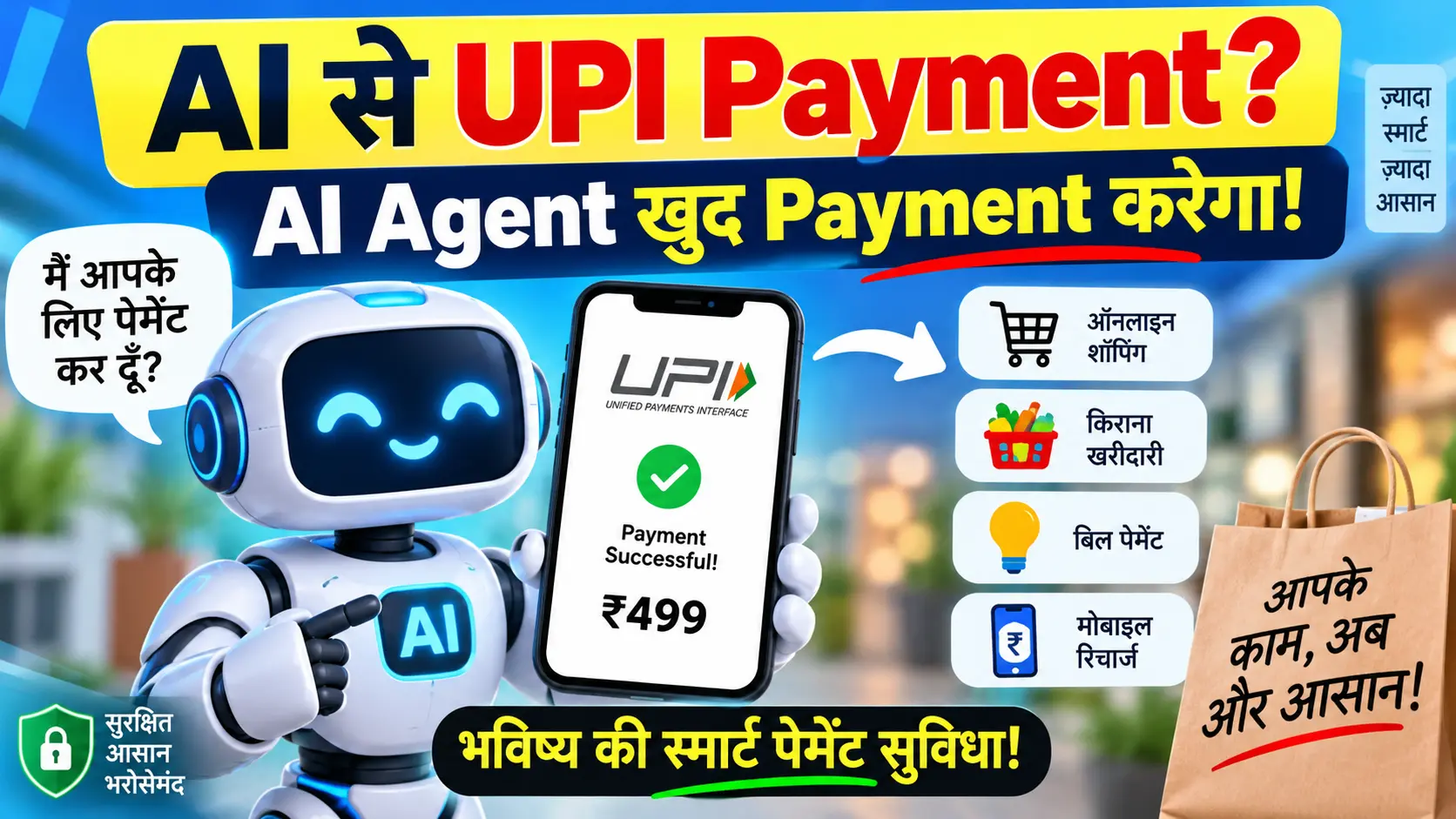
AI Agent और UPI Payment: Technology को समझें
AI Agents और Digital Payment से जुड़े Concepts के बारे में आसान भाषा में जानें।
Read More →AI Photo Editing के लिए कौन-से Tools इस्तेमाल करें?
AI Photo Editing के लिए अलग-अलग प्रकार के Tools उपलब्ध हैं। कुछ Tools Prompt-Based Image Editing पर काम करते हैं, जबकि कुछ Background Removal, Resizing और सामान्य Photo Enhancement पर केंद्रित होते हैं।
Tool चुनते समय इन बातों पर ध्यान दें
- क्या Tool आपकी जरूरत के अनुसार Editing कर सकता है?
- क्या Image Quality पर्याप्त है?
- क्या Privacy Policy स्पष्ट है?
- क्या Free Version में कोई सीमाएं हैं?
- क्या Export और Download Options उपलब्ध हैं?
किसी भी AI Tool का उपयोग करने से पहले उसकी वर्तमान Features, Pricing और Privacy Policy जांचना अच्छा अभ्यास है।
आप AI Photo Editing के साथ Canva या किसी सामान्य Image Editor का इस्तेमाल करके Crop, Resize और Final Layout भी तैयार कर सकते हैं।
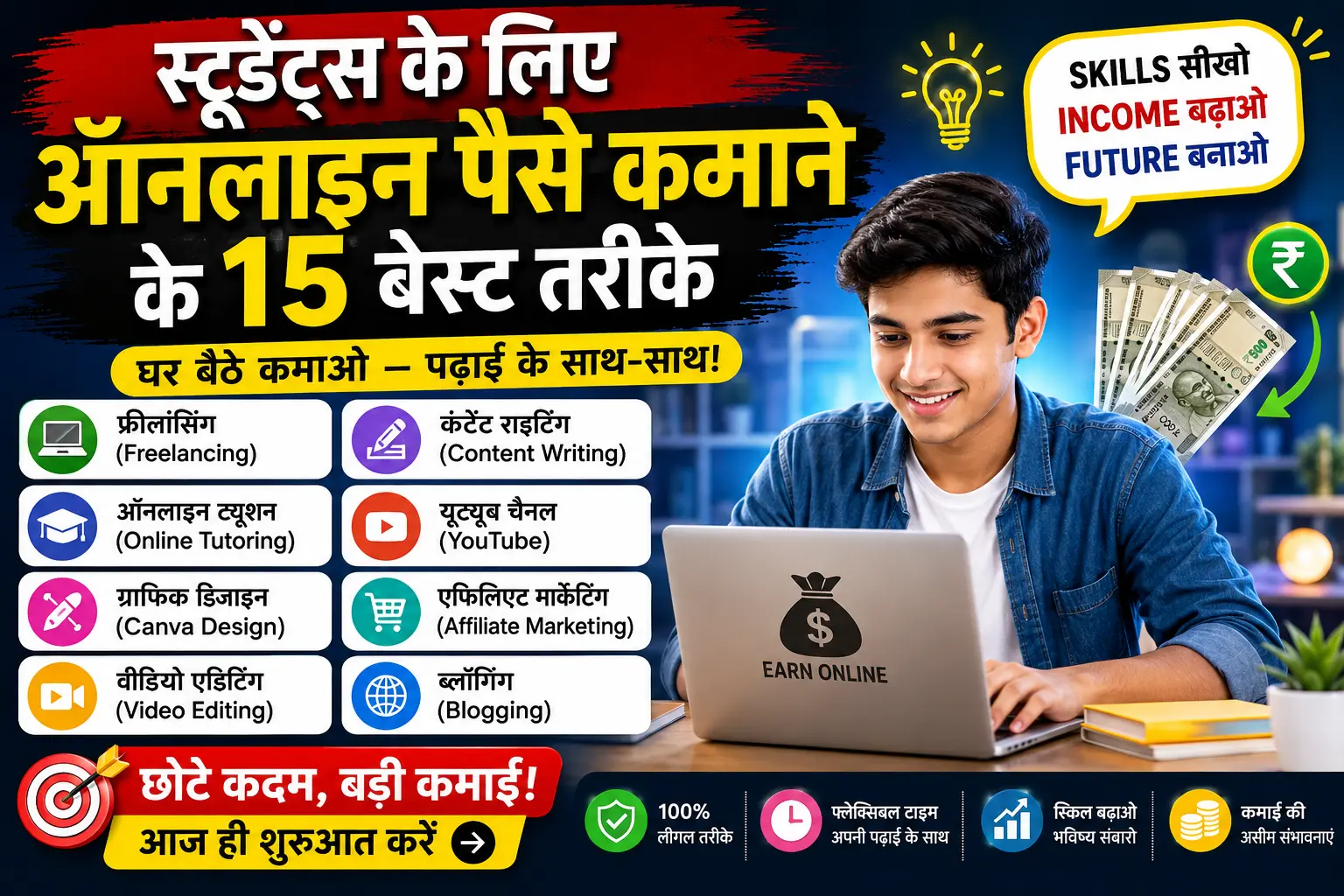
Students के लिए Online Earning Ideas
AI और Digital Skills सीखने के बाद Online Earning के विभिन्न तरीकों के बारे में जानें।
पूरा Guide पढ़ें →AI Photo Editing में होने वाली 7 सामान्य गलतियां
- Low-Quality Photo का इस्तेमाल: धुंधली या बहुत कम Resolution वाली फोटो से बेहतर परिणाम पाना मुश्किल हो सकता है।
- बहुत छोटा Prompt: केवल "Make it beautiful" लिखने के बजाय Lighting, Background और Style स्पष्ट करें।
- Original Photo सुरक्षित न रखना: Editing से पहले Original File की Backup Copy रखें।
- चेहरे की जांच न करना: AI कभी-कभी चेहरे, बाल या अन्य Details को बदल सकता है।
- Official Photo Requirements को नजरअंदाज करना: Passport और ID Photos के लिए संबंधित संस्था के नियमों का पालन करें।
- Privacy पर ध्यान न देना: निजी फोटो Upload करने से पहले Tool की Privacy Policy और Data Handling को समझें।
- हर AI Result को Final मान लेना: Image को Export करने से पहले ध्यान से Review करें।
Frequently Asked Questions (FAQs)
1. क्या AI से Passport Size Photo Free में बना सकते हैं?
हां, कुछ Free AI और Photo Editing Tools उपलब्ध हैं। हालांकि Features, Export Options और Usage Limits Tool के अनुसार अलग-अलग हो सकते हैं। आधिकारिक दस्तावेजों के लिए आवश्यक फोटो नियमों की जांच करें।
2. क्या AI से 3D Cartoon Photo बनाना आसान है?
सामान्य Portrait से Cartoon Style बनाने के लिए AI Tools उपयोगी हो सकते हैं। अच्छा परिणाम पाने के लिए साफ फोटो और स्पष्ट Prompt इस्तेमाल करें।
3. क्या AI Wedding Photo Editing से असली फोटो खराब हो सकती है?
AI Editing के दौरान फोटो में अनचाहे बदलाव हो सकते हैं। इसलिए Original Photo का Backup रखें और Final Result को ध्यान से जांचें।
4. क्या AI से बनाई गई फोटो हर जगह इस्तेमाल कर सकते हैं?
नहीं, हर उपयोग के लिए नियम अलग हो सकते हैं। Passport, Visa, ID Card और अन्य आधिकारिक कार्यों के लिए संबंधित संस्था की Requirements को प्राथमिकता दें।
5. AI Photo Editing Prompt क्या होता है?
AI Prompt एक लिखित निर्देश होता है, जिसमें आप Tool को बताते हैं कि फोटो में किस प्रकार का बदलाव चाहते हैं। उदाहरण के लिए Background, Lighting, Style और Composition।
निष्कर्ष: AI Photo Editing से अपनी Creativity बढ़ाएं
AI Photo Editing आज सामान्य Users के लिए भी Creative Possibilities खोल रहा है। Passport Size Photo की तैयारी, 3D Cartoon Portrait और Wedding Photo Editing जैसे कामों में AI Tools उपयोगी हो सकते हैं।
लेकिन अच्छा Result केवल AI Tool पर निर्भर नहीं करता। आपकी Original Photo की Quality, सही Prompt, Privacy Awareness और Final Review भी महत्वपूर्ण हैं।
अगर आप शुरुआत कर रहे हैं, तो पहले एक साधारण Portrait Photo से प्रयोग करें। इसके बाद Cartoon Styles और Wedding Photo Editing Prompts आजमाएं।
आपको इनमें से कौन-सा AI Photo Editing Style सबसे ज्यादा पसंद आया – Passport Size, 3D Cartoon या Wedding Editing? Comment में जरूर बताएं!